

|
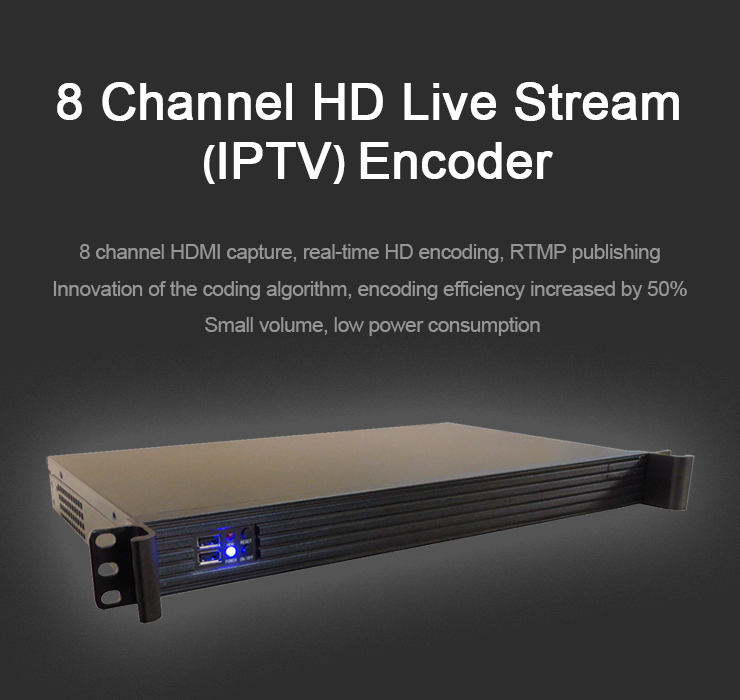
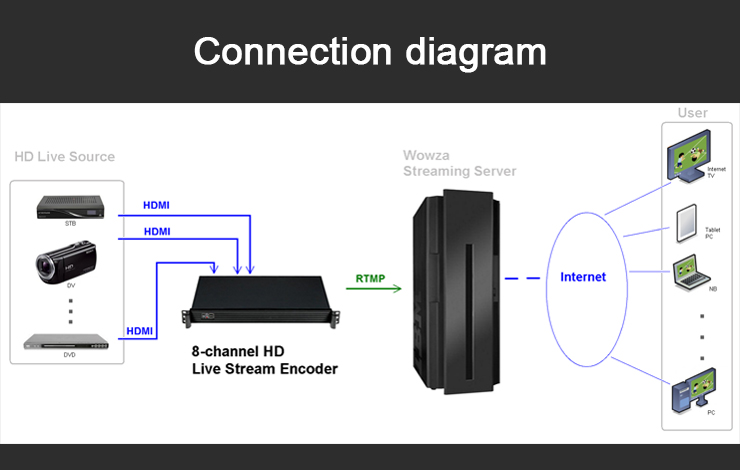
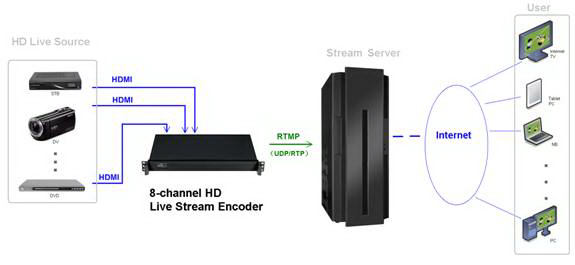
The encoder is mounted in an 1U chassis which realized 8 channel HDMI capture, real-time HD encoding, RTMP/UDP/RTP publishing. Comparing with the present encoder, new encoder's encoding efficiency is 50% up. With highly integrated hardware and software, the equipment is convenience for customers to push RTMP/UDP/RTP streams into stream server. The product will greatly save the network traffic, electricity and space utilization rate, improve the live operator front-end equipment reliability, reduce operating costs and entry barriers. |

|
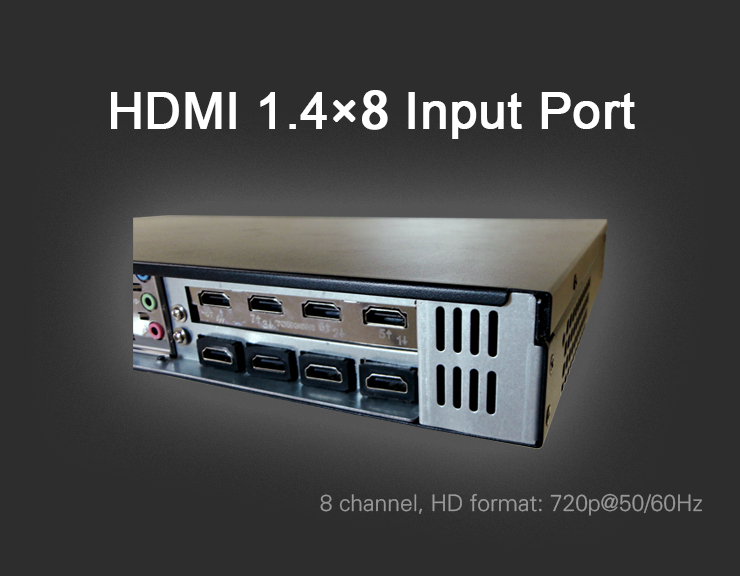
1) Input Interface: HDMI (x8) 2)HD Format: 1280*720p50/60 3)Output Interface: RJ45 100/1000Mbps 4)Output Protocol: RTMP/UDP/RTP 5)Power: AC110/220 50/60Hz |

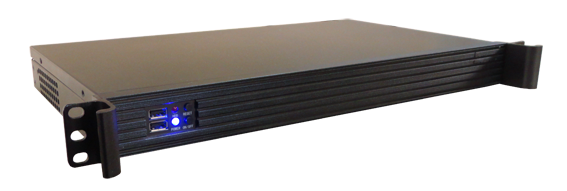
| The type of the equipment is TS-6000HD, size is 1U chassis (45x482x250 mm3), power consumption is less than 70W, about 4Kg in weight. Its appearance and rear shown below: |



1. Preview

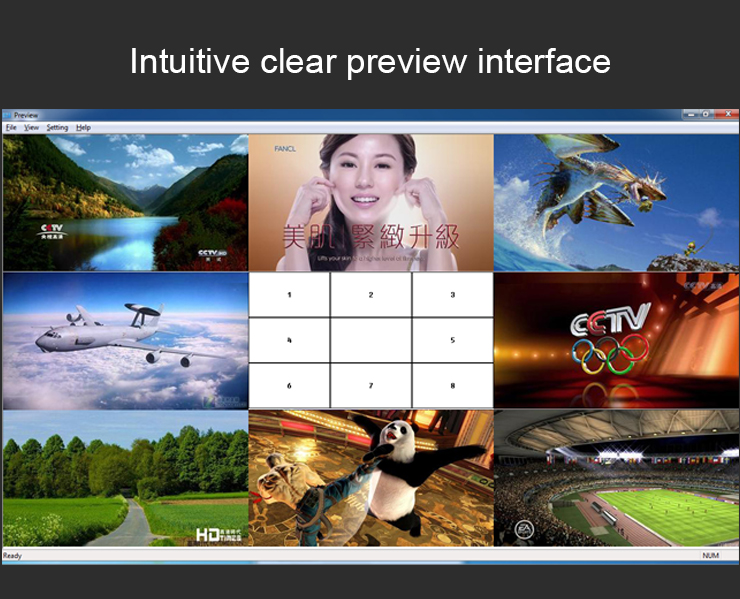
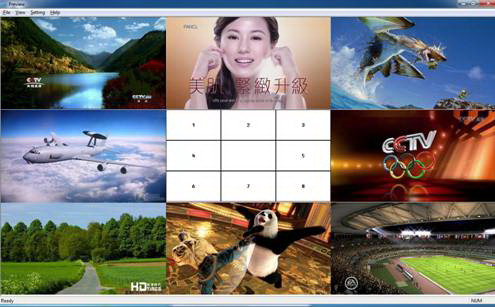
This software is mainly used for show eight input video signal.
Double-click the icon
,
pop-up preview interface:
2.
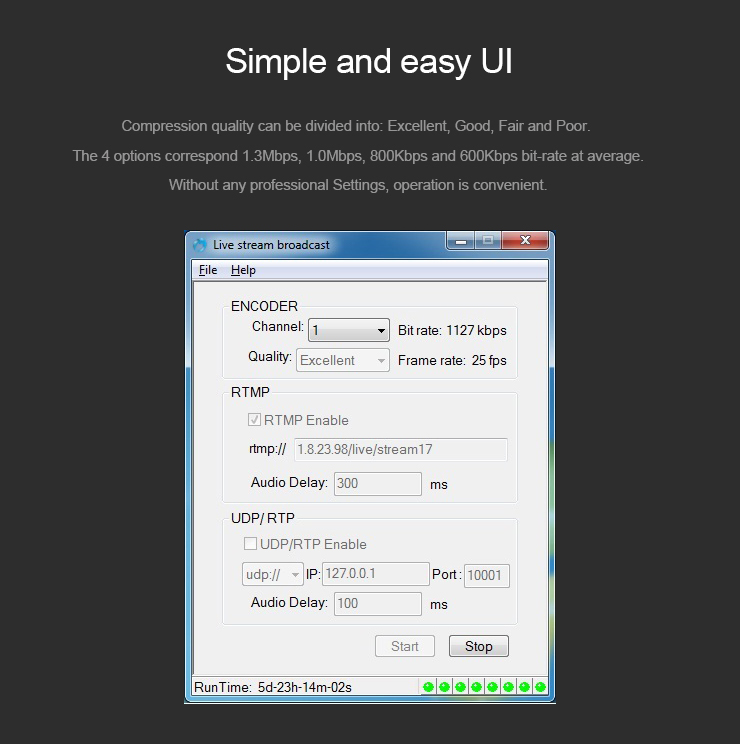
Live Stream Broadcast

This software is used to set the encoder and push real-time stream.
Double-click the icon ,
pop-up settings interface: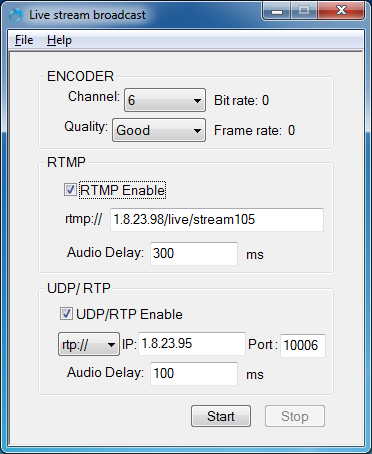
Setup:
1) Click on the Channel drop-down list, choose a channel number (1,2,
..., or 8).
2) Click on the Quality drop-down list, choose a encoding quality
(Excellent, Good, Fair or Poor).
3) Enter the stream server address and Audio Delay (0~8000 ms)
if RTMP enabled.
4) Enter the stream server address, Port (1024~65535) and Audio
Delay (0~8000 ms) if UDP/RTP enabled.
5) Choose RTP or UDP protocol if UDP/RTP enabled.
6) Click on the Start button, the application will begin to push
the stream.

|
Download
encoding samples:
Technical
paper:
|